Can You Keep Your Business Number With an AI Receptionist? UK Setup Guide (2026)
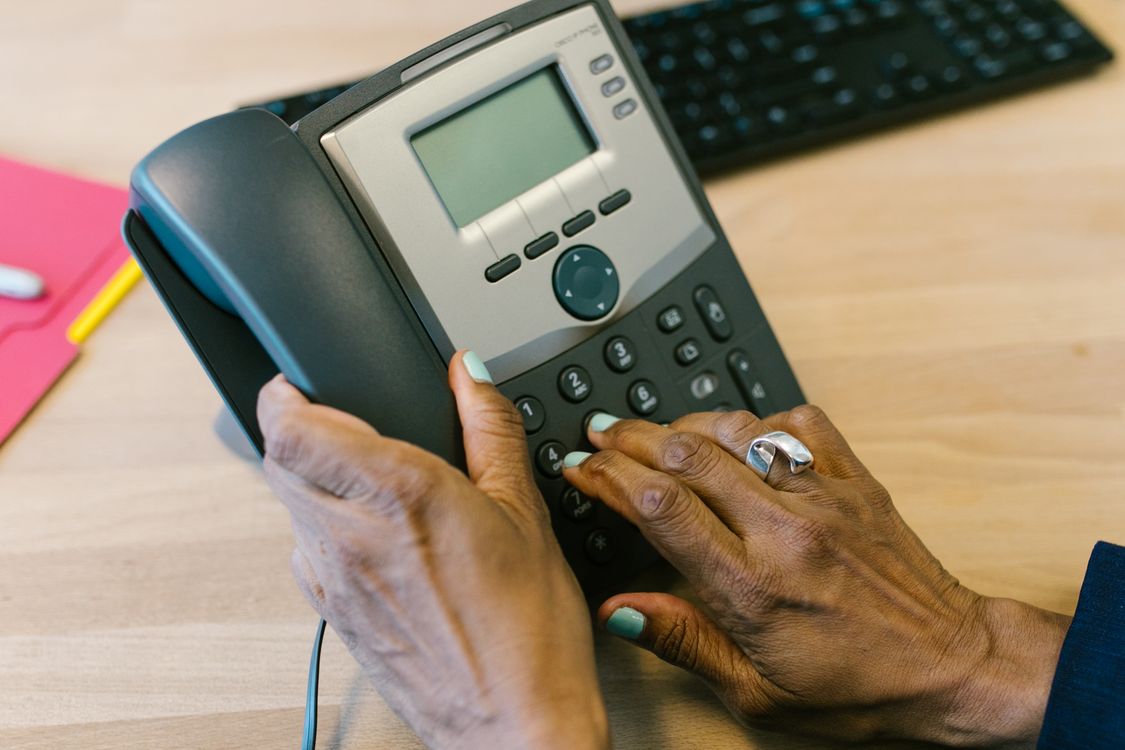
You have spent years putting your business phone number on your website, Google Business Profile, vans, invoices and customer contacts. Now you want an AI receptionist to answer calls when your team is busy—but changing that number could create confusion. The good news: you can often keep your existing business number. The important choice is whether to forward calls, port the number or use a separate AI line. This UK-focused guide explains the differences, the questions to ask your phone provider and how to test the setup with Telamet before switching real customer calls.
The short answer: yes, you can often keep your number
An AI receptionist for an existing phone number is not necessarily a replacement telephone service. It can sit behind the number customers already dial, answering all calls or only those you cannot take. Telamet's product features describe three number options: rent a new local or toll-free number, port an existing number, or forward an existing line while keeping your provider.
For most small businesses wanting to test AI without disturbing their current arrangement, forwarding is a sensible first option. For a longer-term telephony change, porting may be worth discussing. Neither method is automatic for every number type or provider, so confirm technical support and charges first.
Call forwarding vs number porting vs a new AI number
These terms are often mixed up in AI receptionist marketing, but they mean different things. Forwarding redirects incoming calls from your current line to another number; the original number stays with your existing provider. Porting transfers the number to a new provider or supported telephony arrangement. A new number gives the AI its own line without changing your established number.
If you need to retain your present contract, handset and familiar number while trialling after-hours answering, forwarding may offer the lowest-disruption path. If you want the AI platform or connected carrier to become the main home of the number, investigate porting. If you are running a separate campaign, a new number can make attribution easier.
- Forwarding: keep your current provider and number; configure where and when calls divert.
- Porting: move the number to a supported new provider; coordinate the transfer before cancelling any existing service.
- New number: quick to test or use for a new service, but customers need to learn the new contact number.
Three ways to route customer calls to AI
The right routing pattern depends on whether your team wants first chance to answer or prefers the AI to handle routine enquiries from the start.
- All calls: every inbound call goes to the AI first, with escalation to a person when configured and supported.
- No-answer or busy overflow: your team answers normally; calls divert to AI if the line is busy or nobody picks up.
- Out of hours: staff answer during opening hours and AI handles evening, weekend or bank-holiday enquiries.
How to connect your existing business number to Telamet
Telamet supports forwarding an existing line and bringing an existing number, according to its product page. The exact divert procedure depends on your carrier, phone system and whether the number is a mobile, landline or VoIP/SIP line. Do not assume a single dialling code works across all UK providers.
Use this practical sequence to minimise disruption. Configure the AI agent and test it on a temporary or dedicated number before diverting your established business line.
- 1. Record your existing number type, provider, contract details and current call-routing rules.
- 2. Create a Telamet account and configure the AI greeting, services, hours, FAQs and escalation instructions.
- 3. Connect a supported phone number to the AI agent and test its answers and booking workflow.
- 4. Ask your current provider how to enable the desired forwarding mode, and whether forwarding incurs charges.
- 5. Enable the divert on your existing number and place test calls from a different phone.
- 6. Confirm that calls reach the right AI agent, messages are logged and transfers do not loop back to the same line.
- 7. Test how to disable the divert and restore your original routing before going live.
Do not confuse a forward with a confirmed booking
Routing a call to an AI agent is only the first step. If the caller wants an appointment, the agent also needs accurate availability and a booking workflow. Telamet supports live connections to Google and Outlook calendars, but you should verify any specialist scheduling or CRM integration before claiming a booking is confirmed.
For example, a caller might say, “Can I book a consultation for Friday afternoon?” A correctly configured agent should check availability, collect the necessary details and confirm only after the calendar accepts the appointment. If the connection fails, it should capture a request for a human to confirm later.
What if a caller wants to speak to a person?
Plan human escalation before enabling the AI on your main number. Telamet describes browser and phone-based live takeover and per-agent routing on eligible plans. Its pricing page lists live takeover and per-agent transfer routing under Professional, so do not assume these functions are included in Starter.
Give callers a clear next step when staff are unavailable. A callback request can be more useful than a failed transfer. Test complaints, emergencies, unusual requests and situations where the caller refuses to continue with AI.
How much does AI call forwarding cost in the UK?
Your total cost may include the AI subscription, AI call minutes, phone-number rental and any forwarding charges billed by your current telecom provider. These are separate line items; a low subscription fee does not necessarily mean unlimited live calls.
As checked on 2 November 2026, Telamet's published pricing lists Starter at £49.99/month, Professional at £149.99/month, Business at £399.99/month and Enterprise at £999.99/month. Calls are billed by the minute from a credit balance, with component costs explained on the pricing page. Optional assisted setup is listed at a one-time £350.
A useful monthly estimate is plan fee + expected AI minutes × applicable usage rate + carrier forwarding charges + number fees, if any. Ask both Telamet and your existing provider about the charges that apply to your exact routing arrangement.
What about keeping your UK number when switching providers?
Forwarding and porting have different operational and regulatory implications. For a mobile number, UK regulator Ofcom explains the PAC-based switching process. Business landline and VoIP number moves may require a different process, supporting documents and coordination with the receiving provider.
Before requesting a port, confirm that your exact number type is supported, that inbound calls and any essential SMS or other services will continue as required, and that you understand potential interruption and contract terms. Do not cancel the old service prematurely. If your goal is simply to test AI, forwarding may avoid an unnecessary number transfer.
A launch checklist to avoid lost calls and routing loops
Test your phone setup as if you were a customer. A routing loop can happen if an AI handoff points back to the same number that forwards into the AI. Misconfigured business hours can also send urgent calls to the wrong place.
- Call from a mobile and a landline, including withheld caller ID if relevant.
- Test business-hours, busy, no-answer and out-of-hours routing separately.
- Ask a normal FAQ, a difficult question and a request to speak to a human.
- Check whether the agent correctly records the enquiry and whether the callback details are usable.
- Try a booking request and verify the calendar rather than relying only on the spoken confirmation.
- Test low-credit and unavailable-agent scenarios using your plan's documented behaviour.
- Check the caller notice and data handling if recording or transcripts are enabled.
- Confirm that disabling the divert restores the original business line without delay.
Is there a free way to test an AI receptionist first?
A free demonstration is different from a free production telephone service. Telamet currently offers a free UK AI demonstration call and lets you create an account without a payment card to begin building and testing an agent. This is a practical way to hear the voice quality and test typical questions before paying for live call handling.
Start with Telamet's free AI call demo, read the documentation, and review the current pricing. A small controlled pilot—perhaps after-hours or busy-line overflow—is usually more informative than switching every call on day one.
The bottom line: keep the number customers already trust
You do not necessarily need to change the phone number printed on your business cards or listed on Google to introduce AI call answering. The best route depends on your current telecom provider, call volume, human handoff needs and whether you want a reversible trial or a permanent number move.
With Telamet, the next step is to build a test agent, decide between forwarding and porting, confirm carrier compatibility, and run real-world call tests. Keep the process reversible until you know the AI is answering accurately and the right people can still be reached.
Frequently asked questions
- Can I use an AI receptionist with my existing UK business phone number?
- Often, yes. Telamet supports forwarding an existing line or porting an existing number, subject to the number type and provider arrangements. You can keep advertising the number customers already know.
- Do I have to change my phone provider to use Telamet?
- Not necessarily. Forwarding lets you retain your existing provider while redirecting eligible incoming calls to an AI agent. Confirm forwarding availability and charges with your provider.
- Can AI answer only when I miss a call?
- A conditional divert may send busy or unanswered calls to the AI while your team answers other calls normally. Availability and setup depend on your carrier or phone system.
- Can I turn off the AI receptionist and get my old call routing back?
- If you are using forwarding, you can generally disable the divert through your provider's supported settings or codes. Test the rollback procedure before launch. Porting is a different process and is not reversed simply by cancelling a divert.
- Does Telamet support Google Calendar or Outlook booking?
- Yes. Telamet lists Google and Outlook calendar integrations. The agent should confirm appointments only after a successful calendar check and booking.
- Is Telamet's AI receptionist free?
- Telamet offers a free UK demo call and account creation for testing, but production calling is billed under paid plans and usage rates. Starter is listed at £49.99 per month as of 2 November 2026.
- Will forwarding my business calls cost extra?
- It might. Your existing telecom provider may charge for forwarded call legs or certain destinations, separately from Telamet's plan and usage charges. Check both bills.
- What if my AI receptionist cannot handle a customer's request?
- Set up a human transfer or callback workflow and test it. Telamet's advanced live takeover and per-agent transfer routing are listed on eligible plans, including Professional.